

In the present data-driven world, data pipeline tools have emerged as a vital necessity for organizations looking to capture, process, and efficiently analyze tremendous volumes of data. The tools facilitate free-flowing movement and transformation of data between systems that drive dashboards, machine learning algorithms, and business intelligence platforms. This compilation of the top 15 data pipeline tools has been designed with data engineers, developers, analysts, and IT teams in mind, providing them with trustworthy, scalable, and automated options.
The selection is based on the most important criteria such as scalability, integration, transformation capabilities, usability, security, and community support. Whether you’re in a startup or an enterprise, these tools make complicated workflows easy, minimize manual labor, and keep your data clean, accurate, and ready to go.
What are Data Pipeline Tools?
Data pipeline software is a type of solution that enables the gathering, transport, processing, and loading of data from sources to destinations such as databases, data warehouses, or analytics platforms. They simplify and automate the process of working with data, making it faster, more consistent, and easier to work with. They are needed to create workflows that enable reporting, real-time analytics, and machine learning, enabling teams to make data-driven decisions quickly.
ETL (Extract, Transform, Load) data pipeline tools prepare and transform data before loading it into a target system, providing clean, structured inputs for analytics. ELT (Extract, Load, Transform) tools load raw data initially and do transformations in the destination, taking advantage of fast and scalable cloud storage. Many organizations also explore open source tools for ETL to build flexible, cost-effective data workflows that can be customized to their specific infrastructure and analytics needs.
Criteria for Selecting the Best Data Pipeline Tools
Following are the selection factors for the best data pipeline tools with the most critical element being usability, scalability, and performance:
- Scalability and Performance: It should be capable of handling enormous data and scale seamlessly as the business grows. It should be supportive of batch processing as well as real-time processing.
- Integration Capabilities: It must offer pre-configured connectors or APIs to rapidly integrate with top databases, cloud, storage, and business platforms, and tools.
- Automation and Scheduling: Workflow orchestration support, automated scheduling, retries, and alerts help reduce manual monitoring and improve reliability.
- Data Transformation and Quality: Effective ETL or ELT capabilities with data cleansing, enrichment, and validation deliver high-quality output data.
- Simplicity: Tools should offer easy-to-use interfaces, drag-and-drop, or low-code/no-code facilities for easy development and maintenance.
- Security and Compliance: Support for encryption of data, role-based security, and compliance with GDPR, HIPAA, or other data regulations for sensitive data.
- Cost and Pricing Model: Transparent pricing (pay-as-you-go or subscription) that escalates with the size of your team and application context, preferably for startups or large-scale companies.
- Monitoring and Logging: Detailed monitoring dashboards and logs are essential to monitoring pipeline performance as well as debugging issues.
- Extensibility and Customization: Tools need to be scriptable with scripting, plug-ins, or with custom business logic support.
- Community Support and Documentation: An active community, good documentation, and responsive support teams have a lasting impact during implementation as well as while troubleshooting.
List of 15 Data Pipeline Tools
1. Apache NiFi

Apache NiFi is a highly powerful open-source data flow automation and management software. Due to its drag-and-drop, easy-to-use interface, users can plan data pipelines simply. It can handle real-time stream and batch processing, which allows secure, scalable, and customizable data transfer. Its comprehensive data provenance and inbuilt processors make it suitable for those organizations requiring detailed control of complicated workflows, particularly in healthcare, government, or enterprise data integration.
Key Features:
- Drag-and-drop UI for building data flows
- Real-time data ingestion and distribution
- Built-in security (SSL, HTTPS, and user authentication)
- Fine-grained data provenance and tracking
Pros:
- Highly configurable and extensible
- Good for real-time, event-driven use cases
Cons:
- Can be resource-intensive
- Limited community support compared to other tools
Pricing:
Free (open-source)
Who Should Use It:
Ideal for DevOps teams, data engineers, and IT professionals looking to automate complex data flow processes in real-time.
2. Apache Airflow
Apache Airflow is an open-source workflow management tool for writing, scheduling, and monitoring workflows as code. It’s well-suited to handle complex data pipelines and is well-liked among data engineers because it’s highly scalable and flexible. Airflow’s DAG (Directed Acyclic Graph) structure supports fine-grained control over dependencies and ordering of execution. It is simple to integrate with AWS, GCP, Spark, and Hive types of cloud and big data technology, and well-fitted to advanced analytics, ETL activities, and data science.
Key Features:
- Python-based workflow authoring
- DAG (Directed Acyclic Graph) architecture
- Extensive plugin and integration support
- Dynamic pipeline generation
Pros:
- Highly scalable and customizable
- Large, active community
Cons:
- Steep learning curve for beginners
- UI can be unintuitive for non-developers
Pricing:
Free (open-source)
Who Should Use It:
Best for developers and data engineers managing complex, time-dependent data workflows across systems.
3. Talend

Talend is a full data integration platform with robust ETL and ELT functionality. It runs on cloud, on-premise, and hybrid platforms, with hundreds of pre-built databases, SaaS applications, and more connectors. Talend streamlines data cleansing, transformation, and migration. Its visual development toolset with data quality checks and governance functionality makes it ideal for enterprise-scale data management and compliance-driven enterprises looking for an end-to-end solution.
Key Features:
- ETL and ELT capabilities
- Extensive connectors and integrations
- Real-time and batch processing
- Cloud, on-premise, and hybrid deployment
Pros:
- User-friendly interface
- Strong support and documentation
Cons:
- Enterprise version can be costly
- Slower performance with large datasets in the free version
Pricing:
Free; contact for pricing
Who Should Use It:
Great for enterprises and data teams needing a comprehensive, scalable ETL platform with support and flexibility.
4. AWS Data Pipeline
AWS Data Pipeline is a fully managed ETL service that assists in the automation of data movement and transformation between AWS services and on-prem sources. Scheduling, retries, and dependency management are provided, and it is simple to transfer data between storage systems such as S3, Redshift, and DynamoDB. It is a seamless fit within the AWS ecosystem with high reliability and scalability. Ideal for teams operating within AWS, batch processing, event-driven workflows, and fault-tolerant data pipelines are supported.
Key Features:
- Supports both scheduled and on-demand pipelines
- Seamless integration with AWS services (S3, RDS, Redshift)
- Built-in retry and failure handling
- Data transformation support via EMR
Pros:
- Highly scalable and secure
- Integrated into AWS ecosystem
Cons:
- Limited outside-AWS compatibility
- Complex setup for beginners
Pricing:
Free for low-frequency pipelines; Starts at $1/month per pipeline for higher frequency
Who Should Use It:
Perfect for AWS users managing workflows across Amazon services like Redshift, S3, and EMR.
5. Google Cloud Dataflow

Google Cloud Dataflow is a managed data processing service developed for stream and batch processing. It has Apache Beam as its programming model, providing a single unified development and execution for data workflows that are complex. Resources auto-scale depending on workload requirements and natively integrate with other Google Cloud services such as BigQuery and Cloud Storage. It’s ideal for real-time analytics, log processing, and large-scale ETL pipelines for new data-driven applications.
Key Features:
- Unified model for batch and stream processing
- Fully managed, auto-scaling service
- Native integration with BigQuery and other GCP services
- SDK support in Java and Python
Pros:
- High performance and scalability
- Real-time analytics with minimal management overhead
Cons:
- Tied to Google Cloud Platform
- Steep learning curve for Apache Beam
Pricing:
Pay-as-you-go model based on compute and processing time
Who Should Use It:
Best for teams already using Google Cloud services looking for real-time or batch processing capabilities.
6. Azure Data Factory

Azure Data Factory is a cloud data integration and ETL service by Microsoft. Azure Data Factory enables users to create and schedule data-driven workflows to move and transform data across numerous sources. With over 90 built-in connectors and support for hybrid environments, ADF simplifies orchestrating cloud and on-prem data pipelines. It is ideal for companies using Microsoft technologies like Azure SQL, Synapse Analytics, and Power BI, and it supports visual pipeline design alongside code-based provisions.
Key Features:
- Drag-and-drop visual interface
- Integration with over 90+ data connectors
- Hybrid data integration support
- Scheduling and monitoring of pipelines
Pros:
- Rich integration with Microsoft ecosystem
- Low-code/no-code pipeline design
Cons:
- UI can be slow for large projects
- Debugging errors can be challenging
Pricing:
Based on pipeline activities, data movement, and orchestration – starts low for basic usage
Who Should Use It:
Ideal for enterprises and developers using Microsoft Azure to manage cloud-based and hybrid data workflows.
7. StreamSets

StreamSets is a cloud-native, enterprise data integration platform used for designing intelligent data pipelines. StreamSets can manage both batch and real-time processing and has an emphasis on pipeline monitoring, observability, and resiliency. It provides prebuilt connectors that ease it to implement using drag-and-drop controls and also minimizes data loss with end-to-end data persistence. StreamSets is particularly apt for continuous consumption, transformation, and delivery of data within multi-cloud and hybrid setups. Organizations requiring high-throughput pipeline administration and low-latency streaming also fancy it specifically.
Key Features:
- Visual pipeline designer
- Real-time data streaming and ETL
- Built-in data drift detection
- Integration with cloud, on-premise, and big data platforms
Pros:
- Strong performance monitoring tools
- Works well in complex, dynamic environments
Cons:
- Can be resource-heavy
- Learning curve for advanced features
Pricing:
Free Community Edition; Enterprise pricing available on request
Who Should Use It:
Best for data engineers in large-scale, hybrid-cloud environments needing robust streaming and monitoring capabilities.
8. Informatica PowerCenter
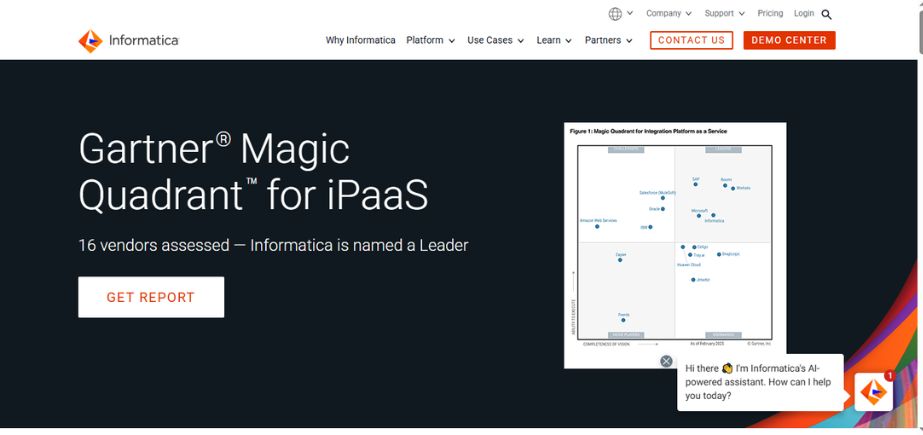
Informatica PowerCenter is an enterprise-level data integration platform that is reputed to be scalable and dependable. PowerCenter can manage a high mix of data sources and has advanced data transformation, metadata management, and data governance capabilities. PowerCenter is often used in big businesses with high integration requirements and regulatory compliance requirements. Though an older tool compared to newer cloud-native tools, it is still a stalwart choice for fields like banking, health care, and telecom.
Key Features:
- Advanced data transformation capabilities
- Metadata-driven architecture
- Centralized administration and monitoring
- Extensive prebuilt connectors
Pros:
- Enterprise-grade performance and scalability
- Excellent customer support and documentation
Cons:
- Expensive for smaller teams
- Complex setup and steep learning curve
Pricing:
Custom enterprise pricing based on usage and licenses
Who Should Use It:
Ideal for large enterprises with advanced data governance, transformation, and compliance requirements.
9. Stitch

Stitch is a cloud-first ETL tool that is built for ease and fast deployment. It supports more than 130 data sources and automatically synchronizes the data into warehouses such as Snowflake, BigQuery, and Redshift. Stitch is widely used for its simplicity of setup, upfront pricing, and developer-friendly API. It’s best suited for startups and small to mid-sized businesses that require a simple means of centralizing the data without having to manage the infrastructure. Although it lacks extensive transformation capabilities, it plays nicely with tools such as dbt for downstream processing.
Key Features:
- Automated data extraction and replication
- Simple UI with quick setup
- REST API and CLI access
- Supports 130+ data sources
Pros:
- Easy to set up and use
- Cost-effective for small-to-mid businesses
Cons:
- Limited transformation capabilities
- Advanced features only in paid plans
Pricing:
Free tier available; Paid plans start at $100/month
Who Should Use It:
Great for startups and small teams needing a quick and easy data replication solution for BI and analytics.
10. Fivetran
Fivetran is a managed data pipeline platform dedicated to providing query-ready data in real-time. It manages schema, transformation, and syncing of data from more than 300 connectors. Fivetran is extensively adopted by data analysts and engineers for data replication to cloud data warehouses such as Snowflake, BigQuery, and Redshift. It involves minimal setup and maintenance, which makes it the best choice for companies emphasizing agility, scalability, and fast insights without extensive engineering input.
Key Features:
- Prebuilt connectors for 300+ sources
- Automated schema migration
- Incremental data loading
- Zero-maintenance pipelines
Pros:
- Extremely easy to use with minimal setup
- Reliable data syncing and updates
Cons:
- Cost increases with row volume
- Limited transformation capabilities (needs dbt for advanced ETL)
Pricing:
- Consumption-based pricing model
- Free trial available
Who Should Use It:
Ideal for teams that want plug-and-play data replication without the hassle of maintaining infrastructure.
11. Hevo Data

Hevo Data is a user-friendly no-code data pipeline platform that helps users transport data from various sources to data warehouses in real time. It allows for automatic schema mapping, transformation, and error handling. Hevo is built for analysts and engineers who need an easy but powerful ETL solution. It can connect with mainstream data sources such as Salesforce, Google Analytics, and MySQL, and is particularly beneficial for expanding businesses and teams of data-driven decision-makers.
Key Features:
- Real-time data streaming
- Auto schema mapping
- Built-in data transformation
- Intuitive dashboard and monitoring
Pros:
- Easy to onboard with minimal technical knowledge
- Responsive customer support
Cons:
- Lacks some advanced customizations
- Limited integrations in the free plan
Pricing:
Free plan available; Paid plans start at $239/month
Who Should Use It:
Best suited for growing businesses and analysts who want a user-friendly, low-maintenance data pipeline tool.
12. Dataiku

Dataiku is an end-to-end data science and machine learning platform with robust data pipeline capability as well. It also offers strong code and visual workflow support with collaboration capabilities between data scientists, analysts, and engineers. Dataiku is good at data preparation, enrichment, and modeling for analytics and AI use cases. It supports big cloud platforms and databases and, therefore, is suitable for enterprises that can leverage machine learning and data projects at scale by operationalizing them.
Key Features:
- Visual flow-based pipeline builder
- Integration with Python, R, SQL
- AutoML and advanced analytics
- Collaboration tools for data teams
Pros:
- All-in-one solution for data prep, analytics, and ML
- Strong collaboration and governance features
Cons:
- Overkill for basic ETL needs
- Premium features come at a higher cost
Pricing:
Free version for small teams; Custom enterprise pricing
Who Should Use It:
Best for data science teams and enterprises looking to scale AI and data workflows in a collaborative environment.
13. Luigi

Luigi is a Python open-source module designed by Spotify for creating sophisticated pipelines of batch jobs. Luigi takes care of scheduling, failure recovery, and dependency handling and tends to be employed in data engineering and ML pipelines. Not quite as accessible as GUI tools but still with good control over the workflow logic, Luigi is particularly ideal for developers and data engineers creating internal data apps where specific processing steps are desired and high-fidelity task orchestration.
Key Features:
- Pythonic API for defining tasks and dependencies
- Dependency resolution and execution control
- Integration with Hadoop, Spark, and more
- Visual pipeline monitoring interface
Pros:
- Flexible and developer-friendly
- Excellent for defining complex workflows
Cons:
- Requires Python coding knowledge
- No built-in support for streaming data
Pricing:
Free and open-source
Who Should Use It:
Ideal for data engineers comfortable with Python who need to manage complex batch pipelines and task dependencies.
14. Keboola

Keboola is a cloud SaaS data operations platform that brings together ETL, orchestration, and cataloging. Data teams can compose workflows from out-of-the-box components or custom scripts, and it accommodates an extremely heterogeneous array of data sources. With transparency and auditability in design, Keboola is particularly valuable to companies that need to keep data lineage and compliance. It is best for data teams needing flexibility and governance without having to restart pipelines.
Key Features:
- Code and no-code interface
- Prebuilt data connectors
- Git versioning and sandbox environments
- Supports ELT, monitoring, and logging
Pros:
- Very versatile for both technical and non-technical users
- Built-in data governance tools
Cons:
- Smaller community and support resources
- Interface can be a bit overwhelming initially
Pricing:
Free trial available; Paid plans start at $250/month
Who Should Use It:
Best for data teams that want flexible, collaborative data operations with a mix of coding and no-code functionality.
15. Matillion
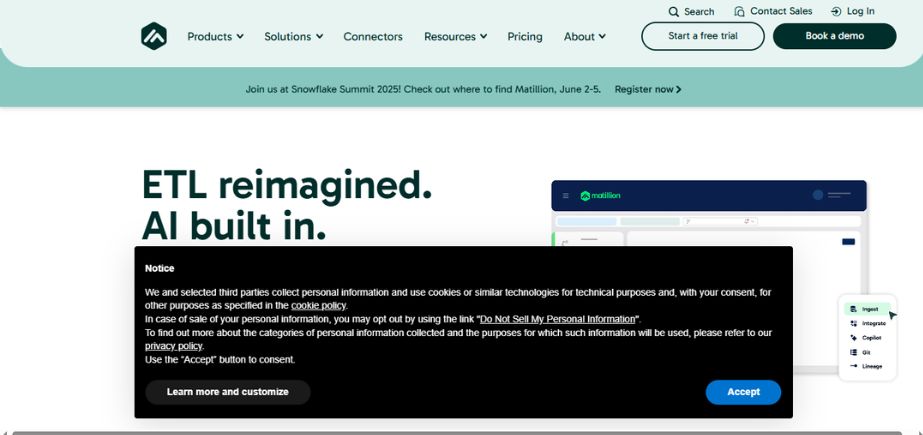
Matillion is a cloud-native ETL solution for cloud data warehouses such as Snowflake, Redshift, and BigQuery. It features a visual environment for creating data workflows and allows for the scripting of advanced logic. Matillion balances ease of use with scalability and fits into DevOps practices easily. It is perfect for data teams seeking to automate pipeline development and transformation operations within the cloud environment while having complete visibility and control.
Key Features:
- Visual job designer for ELT workflows
- Prebuilt connectors to cloud data platforms
- Scalable orchestration
- Real-time and batch processing support
Pros:
- Deep integration with major cloud data warehouses
- User-friendly and quick to implement
Cons:
- Pricing may be high for smaller teams
- Limited support for non-cloud data sources
Pricing:
Subscription-based pricing; Free trial available
Who Should Use It:
Perfect for cloud-first businesses using data warehouses that need fast, scalable ELT solutions.
Comparison Between Best Data Pipeline Tools
| Tool Name | Key Features | Pricing | Use Cases | Website |
| Apache NiFi | Drag-and-drop UI, real-time & batch processing, data provenance | Open-source (Free) | Data ingestion and transformation across enterprises | https://nifi.apache.org |
| Apache Airflow | DAG-based workflow orchestration, Python-based, extensible plugins | Open-source (Free) | Complex data pipeline orchestration and scheduling | https://airflow.apache.org |
| Talend | Visual ETL design, data quality tools, hybrid integration support | Contact for pricing | Enterprise data integration and compliance | https://www.talend.com |
| AWS Data Pipeline | Native AWS integration, retry logic, scheduling | Pay-as-you-go | Automating data transfer and ETL within AWS ecosystem | https://aws.amazon.com/datapipeline/ |
| Google Cloud Dataflow | Stream & batch processing, Apache Beam-based, auto-scaling | Pay-as-you-go | Real-time analytics and complex pipeline processing | https://cloud.google.com/dataflow |
| Azure Data Factory | Visual pipeline design, hybrid data movement, over 90 connectors | Pay-as-you-go | Cloud data integration and orchestration for Microsoft ecosystems | https://azure.microsoft.com/en-us/services/data-factory/ |
| StreamSets | Continuous data ingestion, low-latency pipelines, UI-based pipeline design | Quote-based | Hybrid/multi-cloud ingestion with observability features | https://streamsets.com |
| Informatica PowerCenter | Advanced ETL/ELT, metadata management, high scalability | Quote-based | Large-scale enterprise data integration | https://www.informatica.com |
| Stitch | Simple setup, 130+ connectors, automated data sync | Starts at $100/month | Centralizing data for startups and SMBs | https://www.stitchdata.com |
| Fivetran | 300+ connectors, automated schema updates, real-time syncing | Custom pricing | Data warehousing and reporting for agile businesses | https://www.fivetran.com |
| Hevo Data | No-code setup, auto schema mapping, real-time ETL | Starts at $239/month | Rapid integration for SaaS and database sources | https://hevodata.com |
| Dataiku | Collaborative data science, visual and code workflows | Quote-based | Machine learning workflows and AI enablement | https://www.dataiku.com |
| Luigi | Python-based batch pipeline tool, dependency handling | Open-source (Free) | Internal batch processing pipelines | https://github.com/spotify/luigi |
| Keboola | Visual and script ETL, version control, audit-ready | Quote-based | Transparent and governed ETL for compliance-driven environments | https://www.keboola.com |
| Matillion | Cloud-native ETL, strong UI, support for SQL & scripting | Starts at $1,000 Per month | Cloud warehouse data transformation and automation | https://www.matillion.com |
Conclusion
The data pipeline tool you pick depends on what your team’s goals are, how tech-savvy you are, and what data needs you have. For highly performing enterprise-grade pipelines, you should use Apache Airflow and Talend due to their extensive customizability and flexibility. To use cloud-native simplicity, your best bet would be AWS Data Pipeline, Google Cloud Dataflow, or Azure Data Factory.
Fivetran, Hevo Data, and Stitch are awesome for no-code automation and speed integration. StreamSets and Informatica are both ideal for big-scale ETL work, whereas Luigi and Keboola provide modular control. Be it a data engineer creating intricate pipelines or a startup to obtain immediate insights, there is something for everyone. Compare in terms of scalability, ease of use, support for integrations, and price to find the one that best suits your data journey.
FAQs
1. What is a data pipeline tool and why is it necessary?
A data pipeline tool automates data movement from different sources to storage or analytics targets. It does extraction, transformation, and loading (ETL/ELT) in a simplified manner, so it is easy for teams to process large-scale data reliably and efficiently for reporting, analysis, and machine learning.
2. How does ELT differ from ETL in data pipelines?
ETL (Extract, Transform, Load) loads data that has been transformed into a storage system, while ELT (Extract, Load, Transform) loads raw data and subsequently transforms it—typically in newer cloud warehouses for performance.
3. Who utilizes data pipeline tools?
Data scientists, developers, data engineers, and IT admins typically use these tools to build, automate, and maintain workflows between databases, APIs, cloud platforms, and analytics systems.
4. Is a data pipeline tool suitable for small businesses or startups?
Yes. The majority of such tools like Stitch, Hevo Data, and Fivetran are economical, elastic, and no-code, and thus are particularly suitable for startups as well as for teams which don’t possess significant engineering strength.
5. How is the way to choose the right data pipeline tool?
Consider your volume of data, technical requirements, integration requirements, ability to transform, budget, and if you prefer a code or no-code solution. Match these against the capabilities of the tool, scalability, and support to make an intelligent choice.