
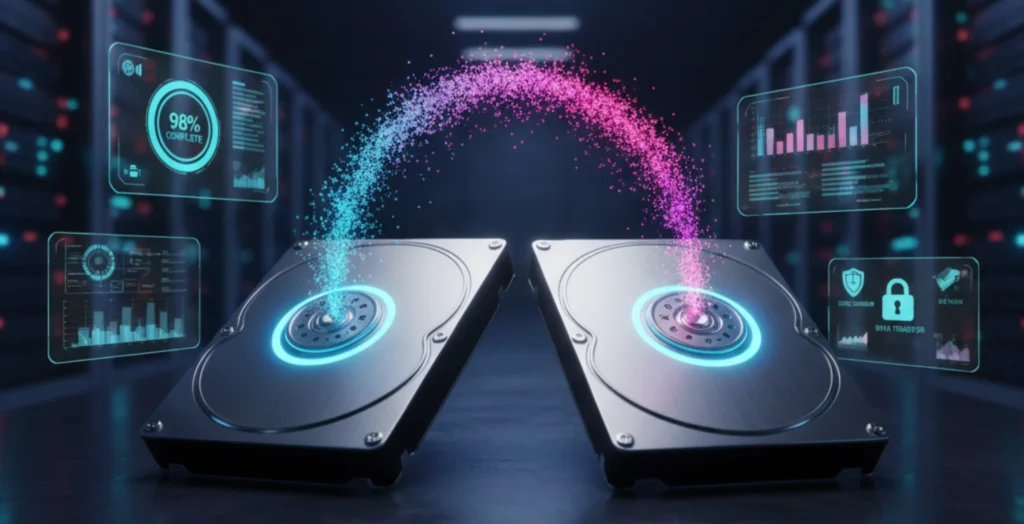
The digital world runs on data, making its security, transfer, and recovery more important than ever. Hard drive cloning tools have become an essential solution for individuals and businesses alike, enabling seamless duplication of entire drives-from operating systems and applications to files and settings.
Whether upgrading to a faster SSD, safeguarding against system crashes, or deploying multiple devices with identical setups, cloning tools provide speed, reliability, and peace of mind. With user-friendly designs, advanced features, and affordable options, these tools are transforming the way people manage their storage.
In this blog, we highlight the 11 Best Hard Drive Cloning Software that simplify data migration, ensure continuity, and make digital life more efficient.
What are Hard Drive Cloning Tools?
A hard drive cloning tool is a specialized tool that creates an exact replica of a computer’s hard drive, including the operating system, applications, system settings, and personal files.
Unlike simple file backups, cloning duplicates the entire disk structure, allowing users to replace or upgrade drives without reinstalling everything from scratch. This process, often supported by data loss prevention software, is especially useful when migrating to a larger hard drive or faster solid-state drive (SSD), ensuring a seamless transition with no data loss
IT professionals also use cloning for system recovery, disaster management, and deploying multiple systems with identical configurations. By providing a ready-to-use copy, the hard drive cloning tool saves time, enhances efficiency, and reduces downtime during upgrades or system failures.
List of 11 Best Hard Drive Cloning Software
1. Clonezilla
Clonezilla is a strong, open-source disk cloning and imaging software that is commonly utilized in system backup and deployment. It is compatible with a broad variety of file systems, and as such, it is compatible with Linux, Windows, and macOS operating systems.
Clonezilla has two predominant versions: Clonezilla Live to backup a single machine, and Clonezilla SE (Server Edition) to be used on a network to deploy in large quantities. Clonezilla has a text-based interface instead of a GUI-based interface, a feature that can be learned, yet offers flexibility. It favors compression, encryption, and multicast.
Clonezilla is free of charge, which is its advantage, and is quite affordable as well, which is ideal for IT administrators and users possessing technical skills.
Website: https://clonezilla.org
Key Features:
- Open-source disk cloning and imaging
- Supports multiple file systems (NTFS, FAT, ext2/3/4, HFS+, etc.)
- Live USB/CD for system-independent use
- Multicast cloning for mass deployment
- Efficient block-level copying with compression
Pricing:
Free
2. Macrium Reflect

Macrium Reflect is a professional-grade hard drive cloning software and disk imaging solution for Windows. Known for its reliability and speed, it supports intelligent sector copying, differential and incremental backups, and live cloning of running systems.
Users have the capability of creating whole system images, individual partition backups or simply cloning the disk to directly replace or upgrade the drives. It contains an installable rescue environment to use in disaster recovery, and allows scheduling automated backups.
Macrium is widely praised for handling complex cloning scenarios with ease. Available in free and paid editions, it is suitable for both home users and IT professionals needing dependable data protection and migration.
Website: https://www.macrium.com
Key Features:
- Reliable disk cloning and backup solution
- Intelligent sector copy for faster operations
- Live system cloning (no reboot required)
- Bootable rescue media creation
- Incremental and differential backups
Pricing:
- Reflect X Home- US$49.99 / year
- Reflect X Standalone- US$65.00/ seat
- Reflect LTSC 2024- US$195.00/ seat
3. Acronis True Image
Acronis True Image, which is included with Acronis Cyber Protect Home Office, is a single solution to back-ups and disk cloning. It also has active cloning where you can clone a drive without having to reboot which is handy during migrations.
In addition to cloning, it offers more sophisticated services such as cloud backup services, ransomware protection, encryption, as well as recovery in case of disaster. The user-friendly interface makes it accessible to non-technical users, while the advanced features meet the needs of power users.
Acronis has Windows and macOS support. Cloning, cybersecurity, and data backup combine to make Acronis the perfect choice when a user needs a powerful and multi-purpose protection with a subscription-based licensing model.
Website: https://www.acronis.com/en/
Key Features:
- Active disk cloning while system is running
- Full image backups with recovery options
- Cloud backup integration
- Built-in ransomware protection
- Disk migration to SSD/HDD
Pricing:
- Essentials- $49.99 USD per year
- Advanced- $72.99 USD per year
- Premium- $124.99 USD per year
- Acronis Cyber Protect Standard- $85.00 USD per year
- Acronis Cyber Protect Backup Advanced- $109.00 USD per year
- Acronis Cyber Protect Advanced- $103.20 USD per year
4. EaseUS Todo Backup
EaseUS Todo Backup is a versatile disk imaging and cloning software designed to simplify data protection and migration.
It allows users to clone entire hard drives or partitions, making it easy to upgrade to a larger HDD or faster SSD without reinstalling the operating system. Along with cloning, it offers full, incremental, and differential backups, ensuring data security against accidental loss or system crashes.
Its intuitive interface makes it beginner-friendly while still offering advanced options for IT professionals. With additional features like system recovery and scheduling, EaseUS Todo Backup is a reliable all-in-one solution for personal and business use.
Website: https://www.easeus.com
Key Features:
- Full disk, partition, and OS cloning for seamless migration
- Clean, intuitive interface for easy navigation
- Optimized SSD migration with alignment support
- Sector-level cloning to ensure exact data replication
- Flexible backup scheduling with quick recovery options
Pricing:
- Home- $39.95
- Business- $49.00
5. Paragon Drive Copy
Paragon Drive Copy, part of Paragon Hard Disk Manager, provides a complete set of tools for disk migration, cloning, and partition management. It enables users to migrate an operating system to new SSDs or larger drives with ease.
Beyond cloning, it offers partition resizing, formatting, and recovery features, making it more of a full disk management suite. Its machine-independent restore function helps restore images to different hardware setups.
The interface is straightforward, balancing advanced options with usability. Paragon’s tools are well-suited for IT professionals and home users looking for a versatile disk utility suite. It is available as paid software.
Website: https://www.paragon-software.com
Key Features:
- Disk and partition cloning
- OS migration to new storage devices
- Advanced partition resizing and management
- Recovery and backup utilities included
- Bootable recovery media
Pricing:
- WORKSTATION- $99
- SERVER- $499
- TECHNICIAN- $599
- ENTERPRISE- $899
6. DiskGenius

DiskGenius is a disk management and data recovery package software that has a good cloning and backup feature. It facilitates sector-by-sector disk cloning, file-level copying, as well as migration of the operating systems and so it can be used both in commonplace upgrades and in professional practice.
DiskGenius also incorporates disk partition management, lost partition recovery and even a hex editor to perform more extreme troubleshooting. It has a fairly user-friendly interface as a tool of such complexity, allowing novices and experts some freedom.
Available in both free and professional editions, DiskGenius is ideal for users who need more than just cloning, offering a Swiss army knife for disk operations.
Website: https://www.diskgenius.com
Key Features:
- Disk and partition cloning with file recovery
- Sector-level and file-level copy options
- Partition resizing and management tools
- Hex editor for advanced users
- Supports multiple disk formats
Pricing:
- Standard- $69.90
- Professional- $99.90
7. Rescuezilla

Rescuezilla is an open-source, free disk cloning program that is sometimes referred to as the Swiss Army Knife of system recovery. It offers a user-friendly graphical interface, though it also makes use of the powerful backend of Clonezilla, being more usable by non-technical users.
Rescuezilla is made available as a bootable live USB/CD which means you can clone/back up any system no matter what operating system is installed on it. It has the ability to copy complete disks and partitions and even restore backups across systems.
Rescuezilla contains file recovery tools as well that allow users to recover individual files within a backup image. Simple, cross-platform, and free of charge, it is an easy-to-use solution that many home users prefer.
Website: https://rescuezilla.com
Key Features:
- User-friendly interface for disk cloning
- Compatible with Clonezilla image formats
- Cross-platform support via bootable media
- File-level recovery from images
- Open-source and free
Pricing:
Free
8. Carbon Copy Cloner

Carbon copy Cloner (CCC) is a disk cloning and backup application that is accessible only in the macOS operating system, which is highly regarded amongst Mac users. Its specialty is the production of bootable clones of system drives which will guarantee fast recovery should the main disk malfunction.
CCC also facilitates scheduled backups, incremental updates that only copy the changed data and advanced automation capabilities. Its user-friendly and clean interface is acceptable by new users, and professionals.
CCC will carry with it flawless migrations to a new Mac or to a faster drive. CCC is one of the most trusted cloning tools available on the macOS operating system as a paid product with a trial version.
Website: https://bombich.com
Key Features:
- macOS-focused cloning and backup tool
- Bootable backups for disaster recovery
- Smart updates for incremental cloning
- Scheduled tasks and automation
- Easy migration to new Macs
Pricing:
US$ 49.99
9. O&O DiskImage
O&O DiskImage is a professional hard drive cloning software and disk imaging tool for Windows. It enables users to create complete system images, clone drives in real-time, and restore data even on different hardware. The software includes incremental and differential imaging, reducing storage requirements.
It also supports creating bootable recovery media for emergencies. With its machine-independent restoration feature, users can restore systems after hardware changes. The interface is modern and simple, offering both one-click imaging and advanced options.
O&O DiskImage is commercial software and is especially popular among businesses and professionals who need reliable, flexible, and secure disk cloning and backup solutions.
Website: https://www.oo-software.com
Key Features:
- Full system and disk imaging
- Clone drives while system is running
- Machine-independent restoration
- Bootable rescue system creation
- Incremental and differential imaging
Pricing:
Request Pricing
10. AOMEI Backupper

AOMEI Backupper is an all-in-one disk cloning, backup, and recovery software for Windows users. It supports full system cloning, disk-to-disk transfers, and partition cloning, making it ideal for upgrading to SSDs or larger drives.
Its sector-by-sector and intelligent cloning modes ensure accurate replication, while features like incremental backups and scheduled tasks add flexibility. The user-friendly interface makes it accessible for beginners, yet powerful enough for IT professionals.
Available in both free and premium editions, AOMEI Backupper is popular for its balance of usability, reliability, and affordability.
Website: https://www.ubackup.com
Key Features:
- Disk, system, and partition cloning
- Sector-by-sector or intelligent cloning modes
- Bootable media creation for recovery
- Incremental and differential backups
- Scheduled automatic backups
Pricing:
- AOMEI Backupper Professional- $39.95
- AOMEI Backupper Workstation – $49.95 / license
- AOMEI Backupper Server – $149.00 / license
11. MiniTool Partition Wizard
MiniTool Partition Wizard is primarily a partition management software but also includes powerful disk cloning and OS migration features. It enables users to clone entire drives or move operating systems to SSDs for faster performance.
With additional tools like partition resizing, merging, and data recovery, it doubles as a full disk utility suite. Its clean interface makes cloning easy for non-technical users, while advanced options meet professional needs.
MiniTool offers both free and paid versions, making it a flexible choice for home and business users who want more than just basic cloning.
Website: https://www.minitool.com/partition-manager/
Key Features:
- Disk and OS migration to SSD/HDD
- Partition resizing, merging, and formatting
- Sector-by-sector cloning
- Data recovery and disk conversion tools
- User-friendly interface with wizards
Pricing:
Request Pricing
Quick Comparison
| Software | Pros | Cons |
|---|---|---|
| Clonezilla | Free & open-source, supports multiple file systems, flexible, fast | Text-based interface (not user-friendly), learning curve |
| Macrium Reflect | Reliable, supports incremental/differential backups, live cloning | Paid plans required for advanced features, Windows only |
| Acronis True Image | Active cloning, cloud backup, ransomware protection, easy to use | Subscription-based, relatively expensive |
| EaseUS Todo Backup | Beginner-friendly, SSD optimization, flexible scheduling | Limited features in free version, Windows only |
| Paragon Drive Copy | Full disk management suite, OS migration, advanced recovery tools | Higher pricing, Windows only |
| DiskGenius | Powerful disk management, recovery tools, sector/file cloning | Interface can be overwhelming, advanced features for pros only |
| Rescuezilla | Free, user-friendly GUI, cross-platform with bootable media | Limited advanced features, slower than paid tools |
| Carbon Copy Cloner | macOS-optimized, bootable backups, automation & scheduling | macOS only, paid software |
| O&O DiskImage | Live cloning, machine-independent restore, enterprise-ready | Pricing not transparent, Windows only |
| AOMEI Backupper | Affordable, user-friendly, multiple cloning modes, recovery options | Advanced features locked in Pro version, Windows only |
| MiniTool Partition Wizard | Easy-to-use GUI, cloning + partition management, recovery tools | Limited free version, Windows only |
Ending Thoughts
In conclusion, the 11 best hard drive cloning software solutions provide users with reliable and efficient ways to safeguard, migrate, and manage their data. Whether upgrading to a new SSD, creating system backups, or deploying multiple devices with identical setups, these tools offer versatility and ease of use for both personal and professional needs.
From beginner-friendly interfaces to advanced features like incremental cloning, encryption, and cross-platform support, each software brings unique strengths. Choosing the right one depends on factors such as speed, compatibility, and budget. Ultimately, investing in dependable cloning software ensures data security, minimises downtime, and simplifies storage management, making it an essential asset for seamless upgrades and long-term digital reliability.
FAQs
Is Hard Drive Cloning the Same as Backing Up?
No. Cloning creates a complete, bootable copy of your drive, while backup only stores selected files or system images. Cloning allows instant use of the new drive without reinstalling software.
Can I Clone a Larger Hard Drive to a Smaller SSD?
Yes, as long as the total data on the original drive fits within the storage capacity of the smaller SSD. Some hard drive cloning tools and software also support intelligent data migration to optimize space.
Is Hard Drive Cloning Safe for my Data?
Yes, when using trusted software, cloning is safe. However, it’s recommended to back up critical files beforehand to avoid risks during the cloning process.