
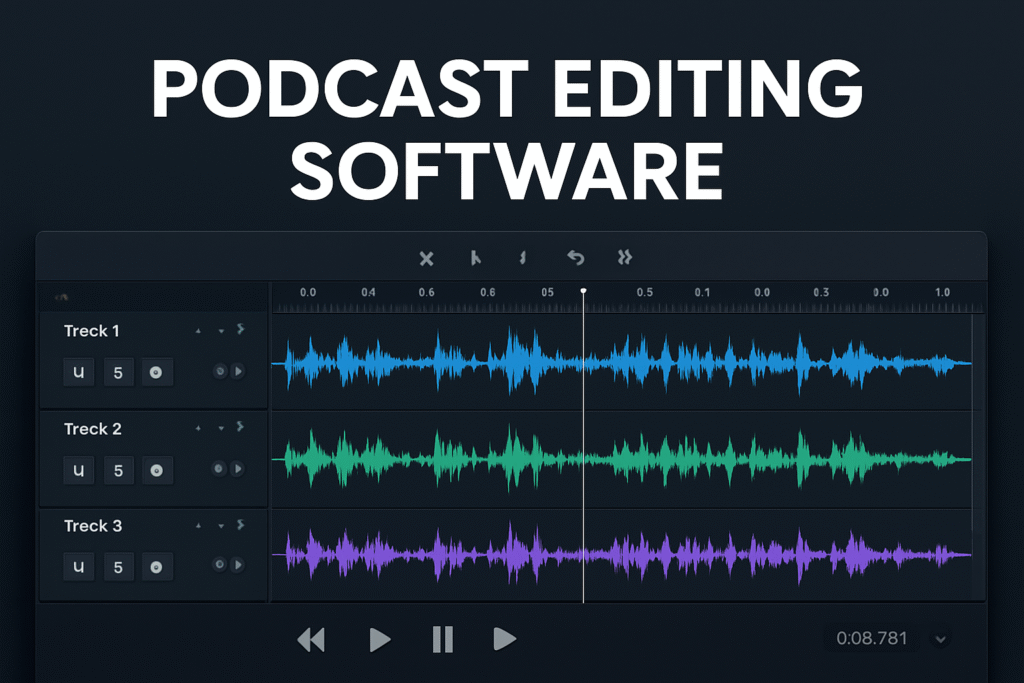
Podcast Editing Software plays a vital role in creating high-quality audio content. As the wave of podcasting keeps building momentum, developers are upping their game in order to keep pace with new editing tools galore made to make you sound like a pro podcaster. Having the right podcast editing software is key if you want to join the podcasting fray and build an audience.
This article will take you through the top ten podcast editing software available in 2025, and assist you in determining what editing software is best for your podcasting purposes.
What is Podcast Editing?
Podcast editing is the process of polishing a recorded audio clip in a way to yield an engaging and seamless listening experience. This includes removing unwanted sounds, handling volumes, backgrounding sound and effect, among others to achieve quality professional-grade audio. Actually, not all podcasters desire to perform all these since most perform this internally while utilizing a range of available dedicated podcast editing software.
Podcast editing software comes in various levels-from newbie-friendly, utilizing drag-and-drop functionality to those of professional software with such high-end features as multitrack audio editing, noise reduction, and real-time audio effects. These allow creators to take rough recordings and create high-quality refined episodes for distribution.
What should you take into consideration when selecting podcast editing software?
The best podcast editing software is the one that suits your requirements best. You should have an understanding of your needs prior to choosing your software – or else, you are leaving yourself open to allowing your tools to dictate how you operate your show (which isn’t great at all).
So let’s look at your needs first:
1.Budget
Some apps are free, but the majority are paid. Paid apps, however, occasionally have a free version.
Whether or not you would like a paid or free Podcast editing software is based on the features that you need. Check the price section of every app to determine if the feature you need is included and if it fits within your budget.
Ease of use
Feature-rich editing software can be fantastic for professional-level editing, but that is also a problem if only professionals get to use it.
If you’re new, find apps that have great, snappy user interfaces. Begin with simple-to-use apps and as you continue to learn and develop as a podcast editor, decide if you’ve outgrown them and should spend money on more sophisticated and powerful tools.
Technical requirements
Are you Mac or Windows PC? Do you like to plop down on the couch and edit your podcast on your computer, or are you looking to finish your vids on the street with your smart phone?
Even think about the technical specs and operating system compliance when selecting what editing software is right for you. Some video editing software can demand some big processing power if they are to work well.
Workflow integration
Think about how the Podcast editing software integrates into your current workflow. Some tools might integrate with other software you’re already employing for recording or editing or graphic design.
Prioritize software that has an all-in-one solution, minimize switching between different tools in the process of recording, editing, and publishing your podcast.
Top 10 Podcast Editing Software for 2025
1. Descript
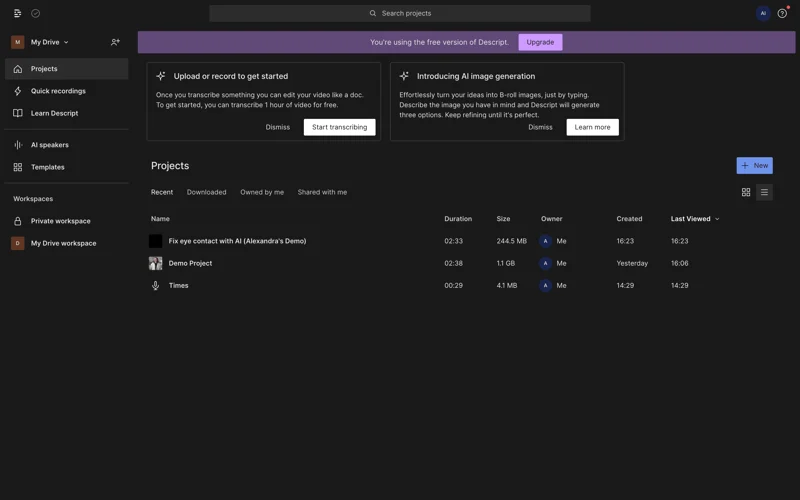
Descript is a video and audio editing program that transcribes your file and enables you to edit the audio or video from the transcribed text, like editing a word document. A few podcast editing software has this same feature now, but Descript was the first to do it. Some of the other key features Descript offers are voice boosting, automatic filler word removal and a media library with loads of music and sound effects. You can also clone your voice with AI and produce sound that sounds like you straight from text.
Features
- Built-in recording
- Transcription editing
- Also a video editor
- AI speech
- Multitrack recording
Pros
- Combine similar tracks and files into sequences
- Batch editing
Cons
- No mic labeling
- No podcast hosting
Pricing
Free
Creator: $12 monthly
Pro: $24 monthly
Business: $40 monthly
2. Audacity
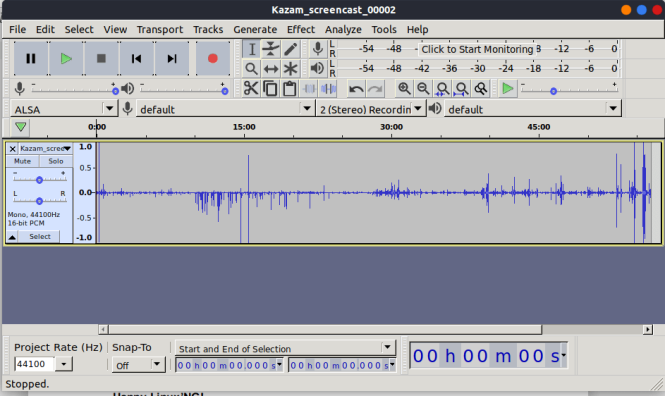
Audacity is among the greatest free, open-source audio tools for creators. It is an extremely powerful, free, and open-source audio creator solution, which has been able to endure for so long thanks to the high number of editing tools and platform support. Its user interface is not necessarily the best, but its power when it comes to manipulating audio is on par with any cost software. It has provided ongoing updates and expansions on plugins by means of community-based development.
Also, one of the most sophisticated handling of multiple audio tracks- applying sophisticated effects, then exporting in a broad variety of formats. The learning curve will be higher than on AI-powered newer platforms but this Podcast editing software goes deeper in functionality; it remains one of the go-to tools among tech-savvy podcasters.
Features
- Saveable EQ and fading
- Runs on any operating system
- Choose between 16-bit, 24-bit, or 32-bit recordings
- Library of audio effects
Pros
- Good recording and editing features for free
- Supports most commonly used file format
- Open source
Cons
- No multitrack recording
- No transcription
Pricing
- Free
3. Adobe Audition
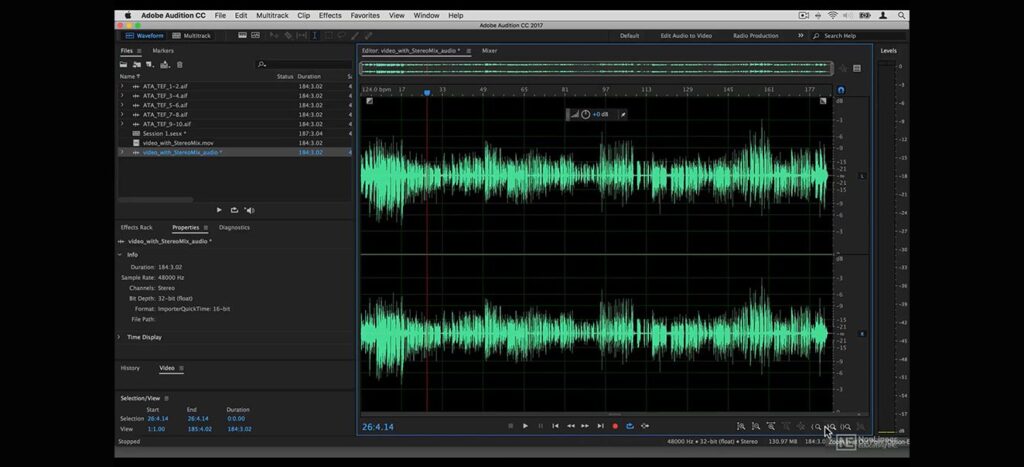
Adobe Audition is the crème de la crème for professionals who edit podcasts with unparalleled audio restoration and mixing. Being part of the Adobe Creative Cloud family, this software is integrated quite nicely with other Adobe products, which is great for multimedia producers. The spectral frequency display enables very precise control over audio, which makes podcasters capable of removing background noise, leveling audio, and creating immaculate soundscapes.
It also comes with several features that are sophisticated – audio restoration, multi-track mix, real-time clip stretching to mention but a few, that make this Podcast editing software stand out.
Features
- Essential Sound panel for professional-quality audio
- Comes with built-in presets to help new podcasters get started
- Single and multitrack recording
- Noise reduction capabilities and advanced compression
Pros
- Features geared toward podcasting
- Professional audio features
Cons
- Expensive
- Steep learning curve
Pricing
- Adobe Audition for desktop: $22.99 per month
4. Hindenburg
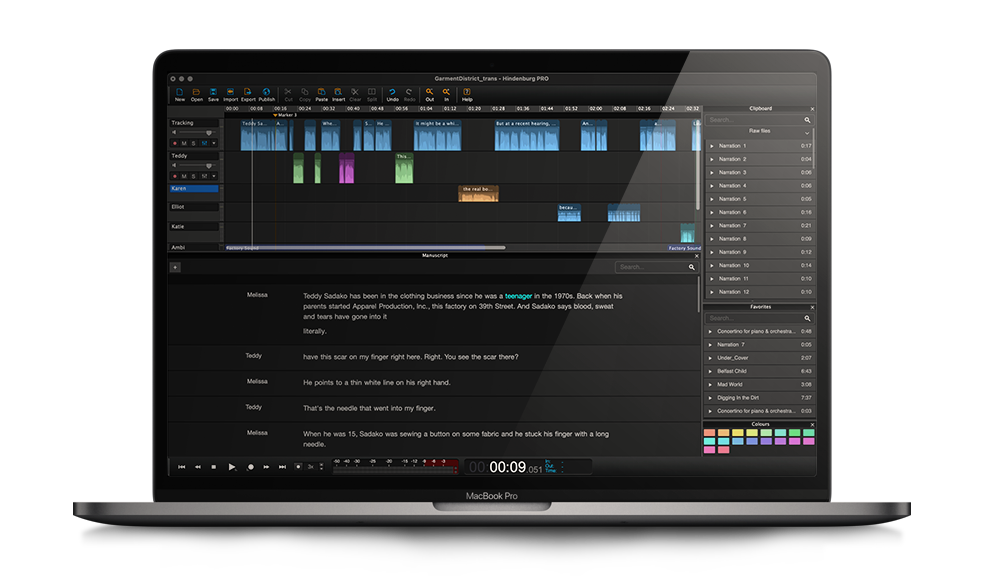
Hindenburg is designed specifically for the audio storyteller, this product takes normally complicated editing procedures and simplifies them so that they are effortless to accomplish. Auto-leveling and maintenance of all audio recordings within a proper level are found in the software. Publishing is seamless with straight exportation to all of the large podcasting platforms.
Hindenburg understands what subtle requirements podcasters can have and provides tools to make storytelling better instead of making it more technical. This Podcast editing software special tools that simplify audio production for interview-based podcasts, as well as narrative podcasts.
Features
- Transcribe and edit audio recordings just as a text document
- Automatically adjusts levels based on volume
- Upload completed podcast directly to Libsyn or SoundCloud
- Save audio snippets to revisit later using the clipboard
- Hindenburg Field Recorder app for mobile recordings (iOS only)
- Send same file to different recipients at one time
- Sound library from Soundly
Pros
- Support for a wide variety of audio files
- For podcasters and journalists
- High production quality
- Possible to edit without an internet connection
- Store and organize lots of raw material
Cons
- No transcription in the lowest pricing tier
Pricing
- Hindenburg Pro Standard: $12 per month
- Hindenburg Pro Plus: $15 per month
- Hindenburg Pro Premium: $30 per month
5. Reaper
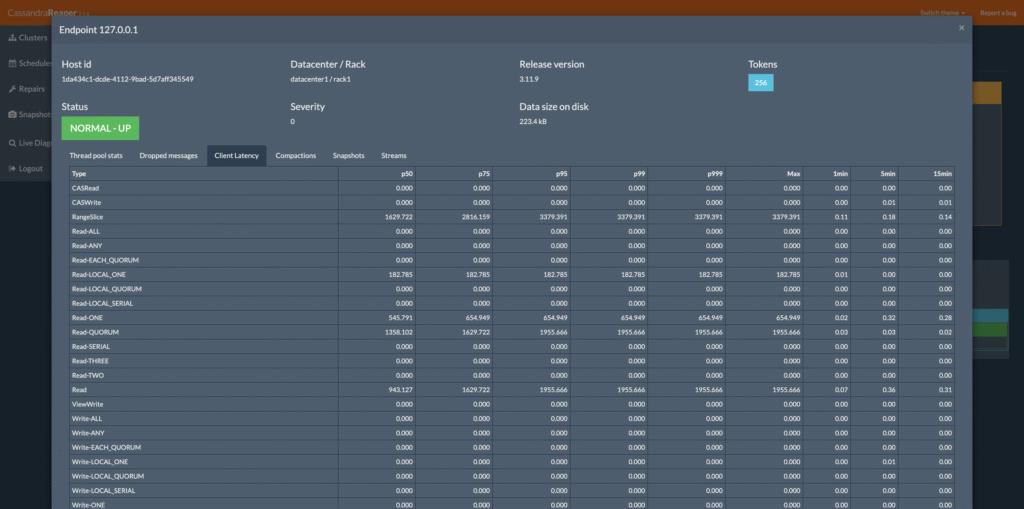
Reaper excels at audio editing with an extremely customizable and lightweight solution at an unbeatable price. Although it may appear to be straightforward, it has capabilities equal to much more expensive software. Features like plugin support and even more advanced scripting enable a very specific adjustment to workflow. It’s a decent piece for podcasters using old equipment because its download size and system requirements are low.
Also, its active user community equates to numerous extensions and tutorials to learn from in creative ways. Reaper demonstrates that professional-level Podcast editing software doesn’t have to come with an astronomical price tag.
Features
- 64-bit internal audio processing
- Customizable skin and layout
- Audio and MIDI routing with multichannel support
- Track lanes to manage multiple audio tracks
Pros
- 60-day free trial
- Fast startup
- Customizable UI/UX
Cons
- Somewhat clunky plug-in integration
- No mobile app
Pricing
- Discounted license: $60 one-time purchase
- Commercial license: $225 one-time purchase
- 60-day free trial
6. Pro Tools
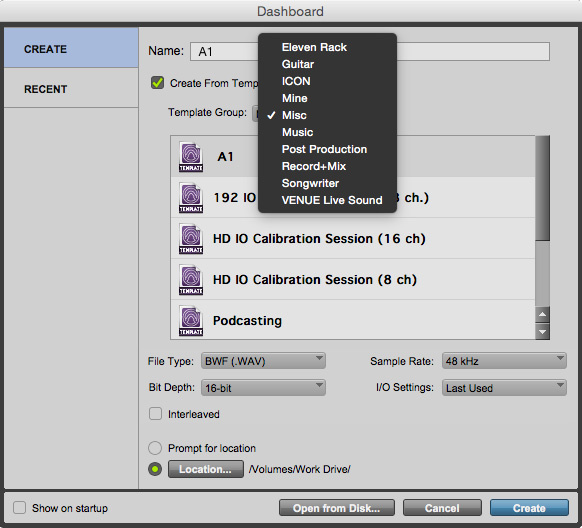
Pro Tools is the industry standard which has for years ruled professional audio production of music and podcasting recording. First created by Avid, for decades it has been the professionals’ first choice in sound engineering and audio experience. Its strength features far exceed the basics of podcast editing and provide unmatched accuracy in audio management.
The program provides advanced multi-track recording, advanced editing, and smooth coexistence with pro audio hardware. As daunting as it may seem to new users, this Podcast editing software is a top favorite among podcasters and sound professionals when it comes to complexity and versatility.
Features
- Supports 32-bit audio recording
- Library of ready-to-use plug-ins and sounds
- Pitch correction
Pros
- Professional quality audio recording and editing
- Works with GarageBand files
- One-time fee of $200, no monthly subscription required
Cons
- Pricey
Pricing
- One-time purchase: $199.99
7. Descript
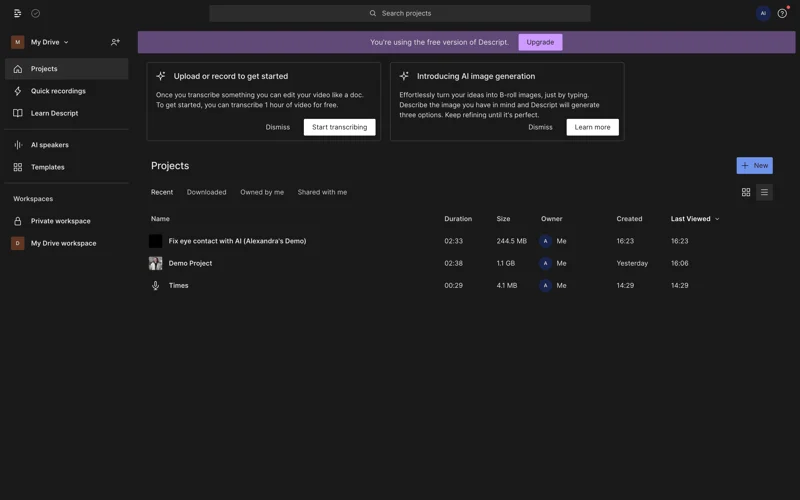
Descript is an audio and video editing software that transcribes your files and allows you to edit the audio or video based on the transcribed text, similar to editing a word document. A few podcast editing software now have this same functionality, but Descript pioneered it.
Some of the other important features Descript provides are voice enhancement, automatic filler word deletion and a media library with sound effects and music. You may also clone your voice with AI and produce sound that is you based only on text—making this Podcast Editing Software a powerful tool for modern podcasters.
Also Read: Top 15 AI Video Generators for Faceless Content
Features
- Integrated recording
- Editing transcriptions
- AI editing tools include studio sound and filler world elimination
- A video editor, AI speech, and multitrack recording are all included.
Pros
- Combine similar tracks and files into sequences
- Batch editing
Cons
- No mic labeling
- Free plan only offers one hour
- No podcast hosting
Pricing
- Free
- Creator: $12 monthly
- Pro: $24 monthly
- Business: $40 monthly
8. GarageBand
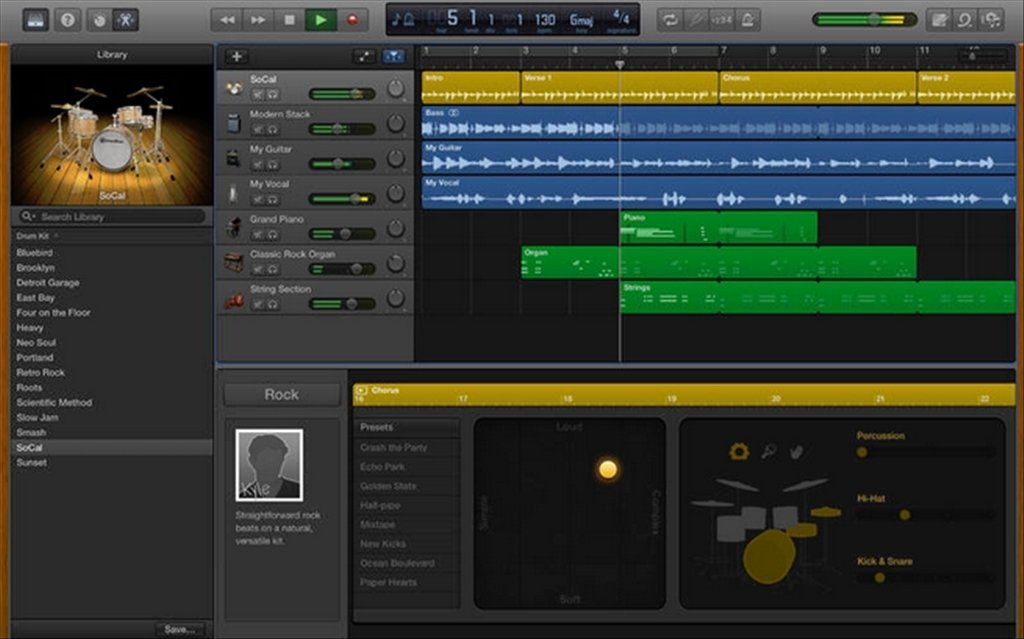
GarageBand is the ideal program for any new Mac user entering the world of podcasting. It’s from Apple, absolutely free, and comprehensive in all aspects of audio editing, including being able to rival paid-for software in capability. It’s an excellent, easy-to-use option for those new to it but still possesses complexity for professionals. It integrates very well with other Apple products within the ecosystem, making it very easy to manage workflow.
GarageBand contains plenty of pre-made loops, sound effects, and professional-grade virtual instruments to give podcast intros, outros, and background music depth. For the Apple user who wants to begin podcasting without spending a fortune, GarageBand remains the best Podcast Editing Software option.
Features
- Sound library
- Functions as a second screen with the Logic Remote app
- iCloud backup
- Effects such as visual equalization and compression to enhance the quality of your recording
Pros
- Portable podcast recording and editing tool
- Free with all iPhones, iPads and Macs
- Clean user interface
Cons
- Mac only
- Lacks advanced features
Pricing
- Free
9. Alitu
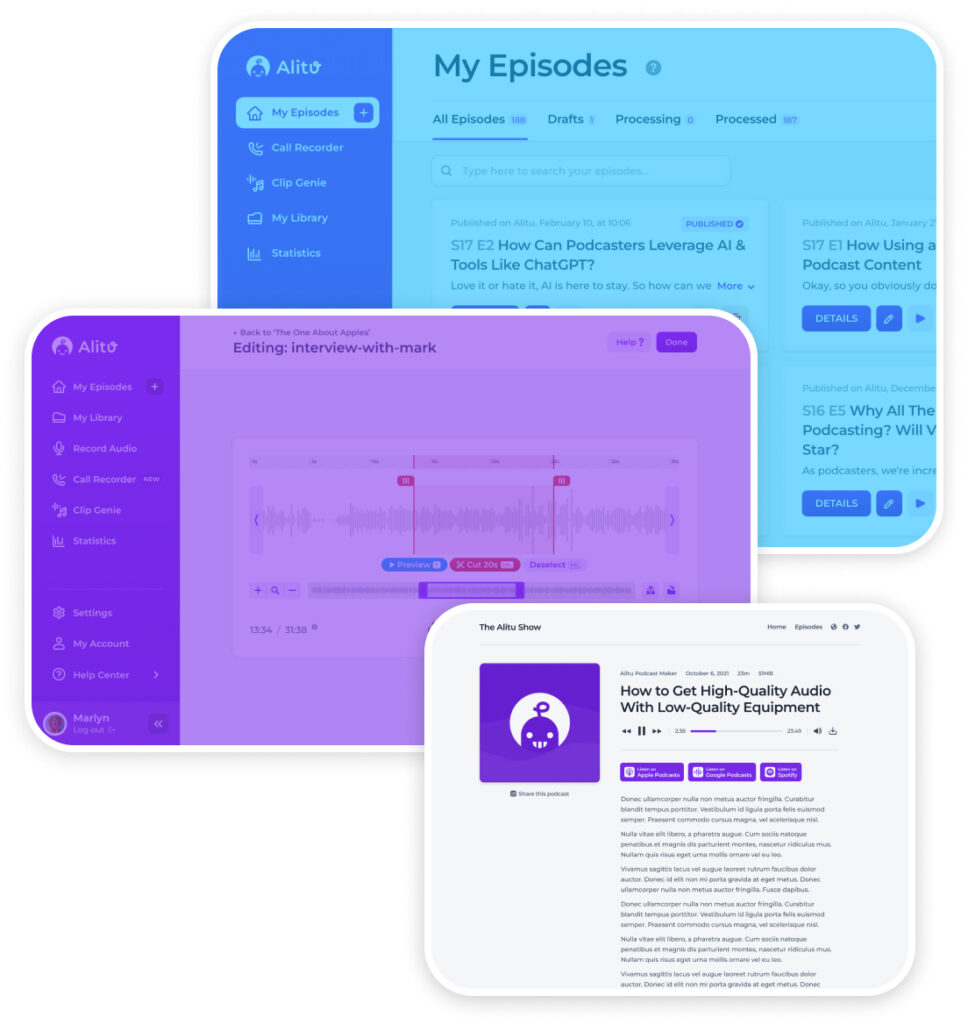
Alitu was created to be used by starting podcasters. Its sole purposes are to record and edit podcasts, and beginners don’t require much technical skill to learn this Podcast Editing Software. Having an editing system that’s virtually fully automated, the $38 monthly might be a good bargain for starters. While Alitu is easy on podcast editing, the sound quality is not the same as that of other applications listed.
Features
- AI audio engineering
- Drag-and-drop editing tools
- Upload audio files of any type
- Publish straight to podcast hosting provider
- Edit audio recordings like a text document
- Create a podcast website
Pros
- Web-based application for use anywhere
- Very easy learning curve
- Includes recording, editing and hosting
Cons
- No mobile app
Pricing
- Indie Podcasters: $38 per month
- Businesses: $225 per month
10. Zencastr
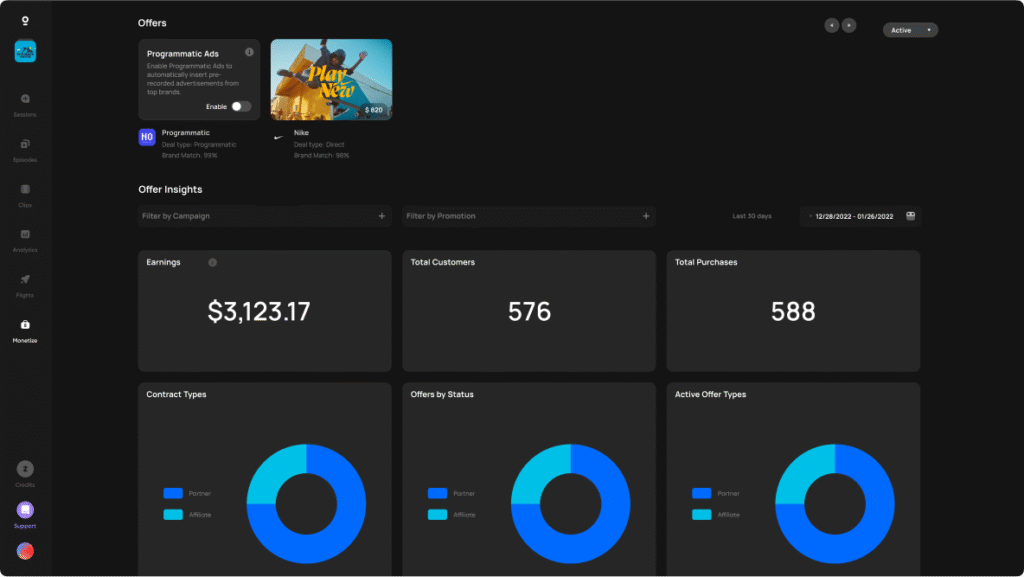
Zencastr is an all-encompassing podcast recording, editing, hosting and promotion software. You can record audio or video with multiple tracks and then edit your video and audio like editing a text document. Zencastr also hosts your podcast for you so you can publish your files straight to podcast platforms such as Spotify and Apple Podcasts.
The app has a few options that allow you to turn social media posts directly from your podcast so you are able to self-promote your show. There is also a Creator Network included with Zencastr, making this Podcast Editing Software a tool that lets you place ads and sign up to be sponsored to help fund your show.
If you plan to monetize your podcast or social media content, check out these work-from-home opportunities or ways to boost your Instagram presence.
Features
- Mobile app for portable podcast recording
- Transcriptions
- Multitrack recording
- 16-bit 48K WAV audio
- Podcast platform distribution
- Embeddable audio and video player
- Podcast analytics
Pros
- Insert audio clips as you record
- Video podcast with 4K resolution
- Built-in monetization tools
Cons
- Interface is a bit clumsy
- No free plan
Pricing
- Standard: $18 monthly
- Grow: $24 monthly
- Scale: $40 monthly
- Business: $80 monthly
Conclusion
Beginning a new podcast or totally redesigning an existing one can mean a thrilling period, but pick a podcast recording software that can’t just be a chore. Sometimes, not every software is the same for all people who host podcasts, so you have to be sure you take the one that has the features you need. If you go with our list of top 10 best podcast editing software , you’re already off to a good start .
FAQs
1.How do I record a podcast?
You should use a recording app that can capture sounds. It’s possible that some apps created for podcasts like Spotiy for Podcasters or Alitu may have noise-cancellation features. Moreover, using reliable Podcast Editing Software alongside good audio equipment, such as a microphone and an audio mixer, is a smart idea.
2.Is there a free podcast recording software?
As for the best free podcast recording and editing software, they are the top suggested products – Audacity and GarageBand. You can also use a free software solution that is primarily developed for video calling and web conferencing for recording your podcasts, like Zoom or Skype, if your interviewee is located in a remote place. You can also explore ways to fund your podcast setup via online part-time jobs.
3.What is the best software for a video podcast?
The best beginners’ tools are Audacity and GarageBand, with their simple interfaces and basic tools, , making them ideal Podcast Editing Software for newcomers.